
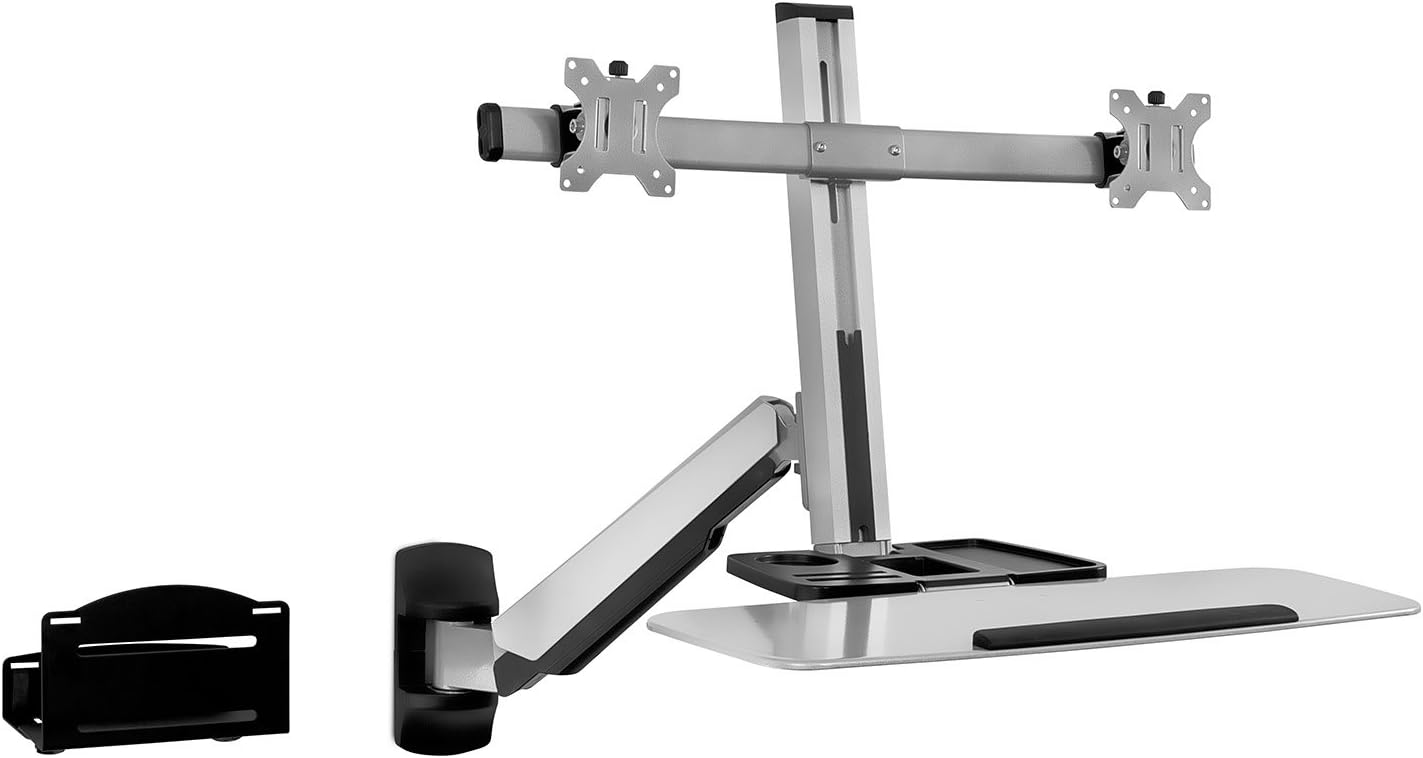
Mount-It! Sit Stand Dual Monitor Wall Mount Workstation & Stand Up Computer Station with Articulating Keyboard Tray Arm and CPU Holder
$199.99




Price: $199.99
(as of Jan 07, 2025 07:33:33 UTC – Details)
From the brand

The Mount-It! Collection

TV Mounts
A TV + a TV Mount is like PB&J; it is simply better together. Extend, Tilt, Swivel & Rotate for the Ultimate Entertainment Experience.
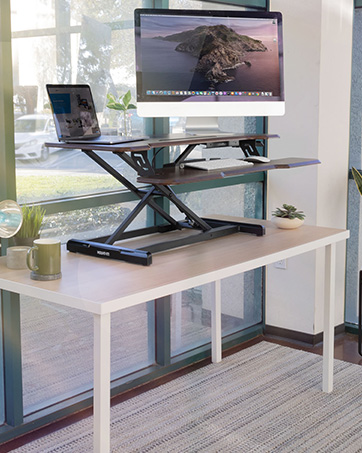
Desks + Monitor Mounts
We promise a switch from a traditional work setup to a sit stand desk with a dual monitor mount WILL BLOW YOUR WORK MIND!
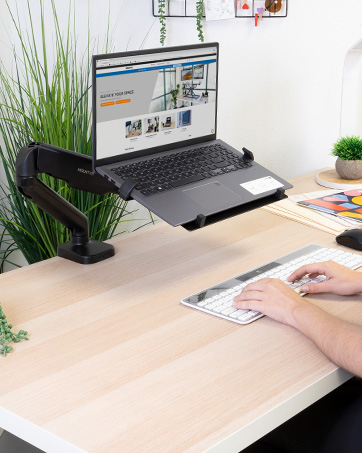
Laptop Series
Make life more convenient with laptop carts, mounts, and stands all designed with a focus on ergonomics, user experience and mobility.
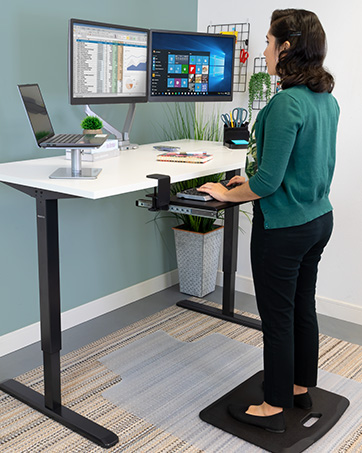
Ergonomic Accessories
We help people achieve healthier ergonomic alignment. Our products have all been designed and created with ergonomic benefits in mind.

Your Business Solution
From start-ups to Fortune 100s, we offer a wide selection of workspace solutions and a U.S.-based Product Support team

WALL MOUNT STANDING COMPUTER WORKSTATION – Full motion stand up workstation saves space and promotes healthy movement. Adjust height easily for various users or transition down to sitting. PLEASE NOTE THE MOUNT EXTENDS UP TO 41 INCHES FROM THE WALL. PLEASE ENSURE ADEQUARE SPACE IS AVAILABLE.
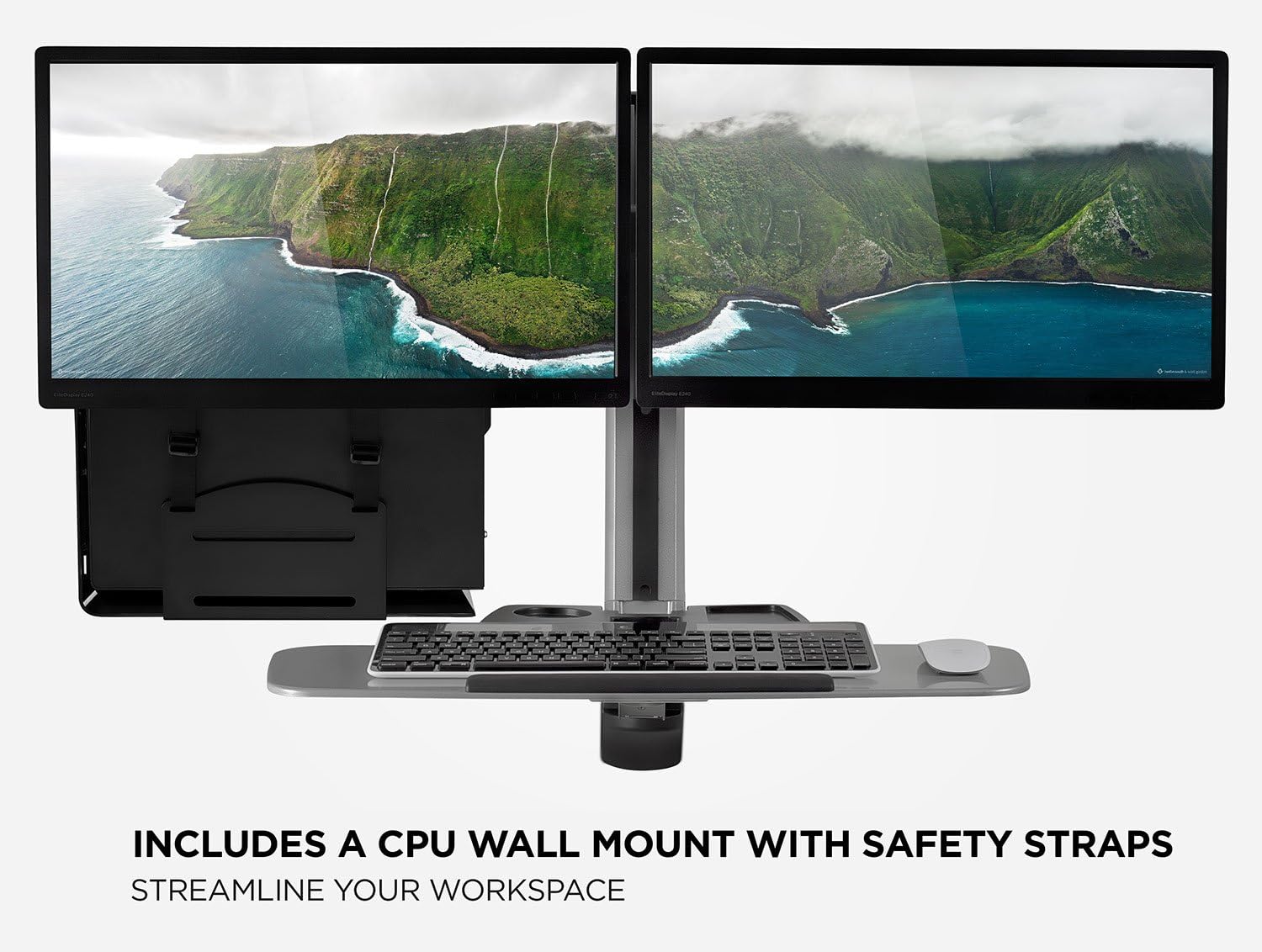
ADJUSTABLE MONITOR WALL MOUNT WITH KEYBOARD TRAY – Complete system that mounts directly to stud and concrete walls. Comes with a dual monitor mount, keyboard/mouse tray, and CPU holder.
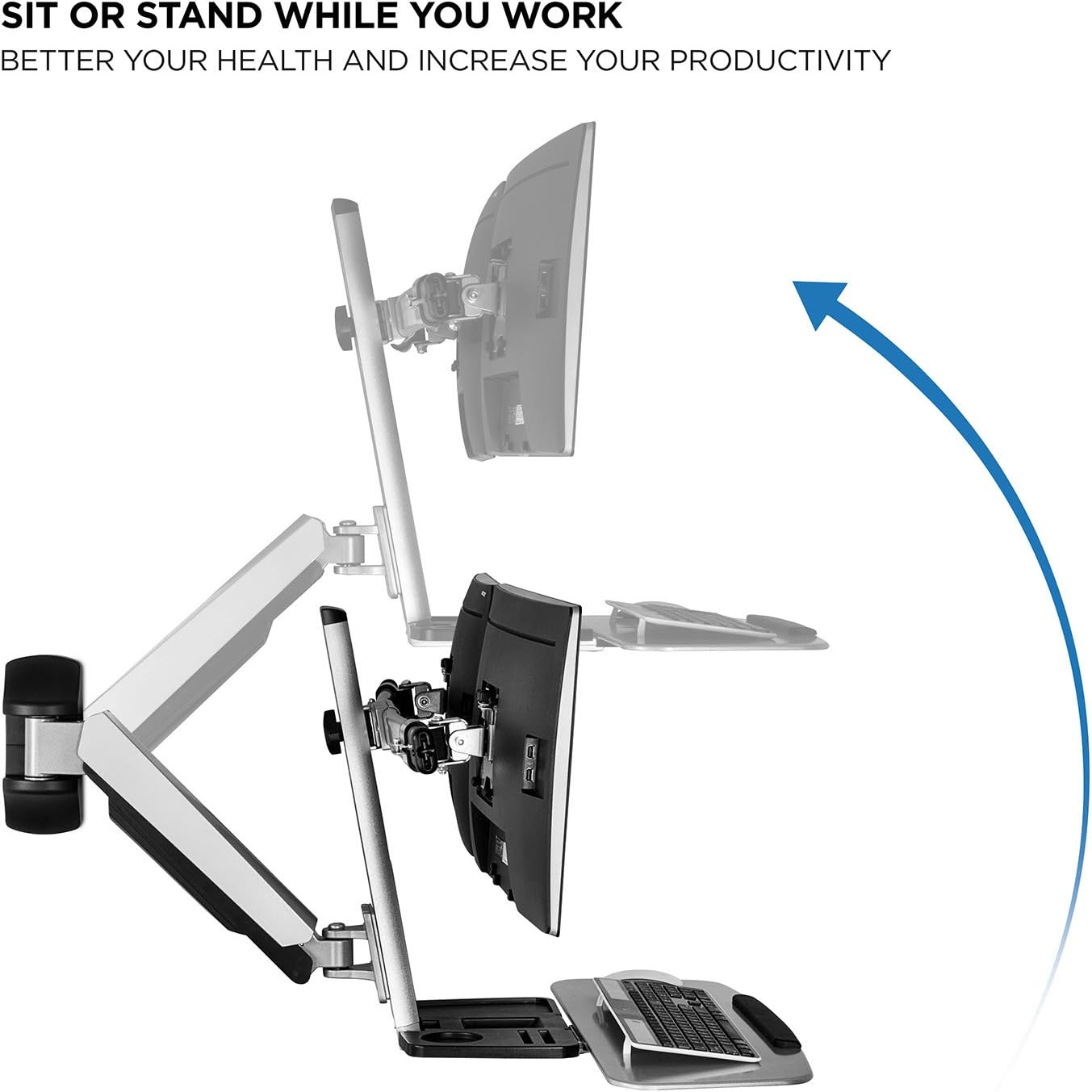
SIT TO STAND system adjusts height up to 19.9″ with the help of gas spring counterbalance arm for easy up and down transition. Adjustable arm with 15 degree monitor tilt, 180 degree arm swivel, 360 degree monitor rotation.
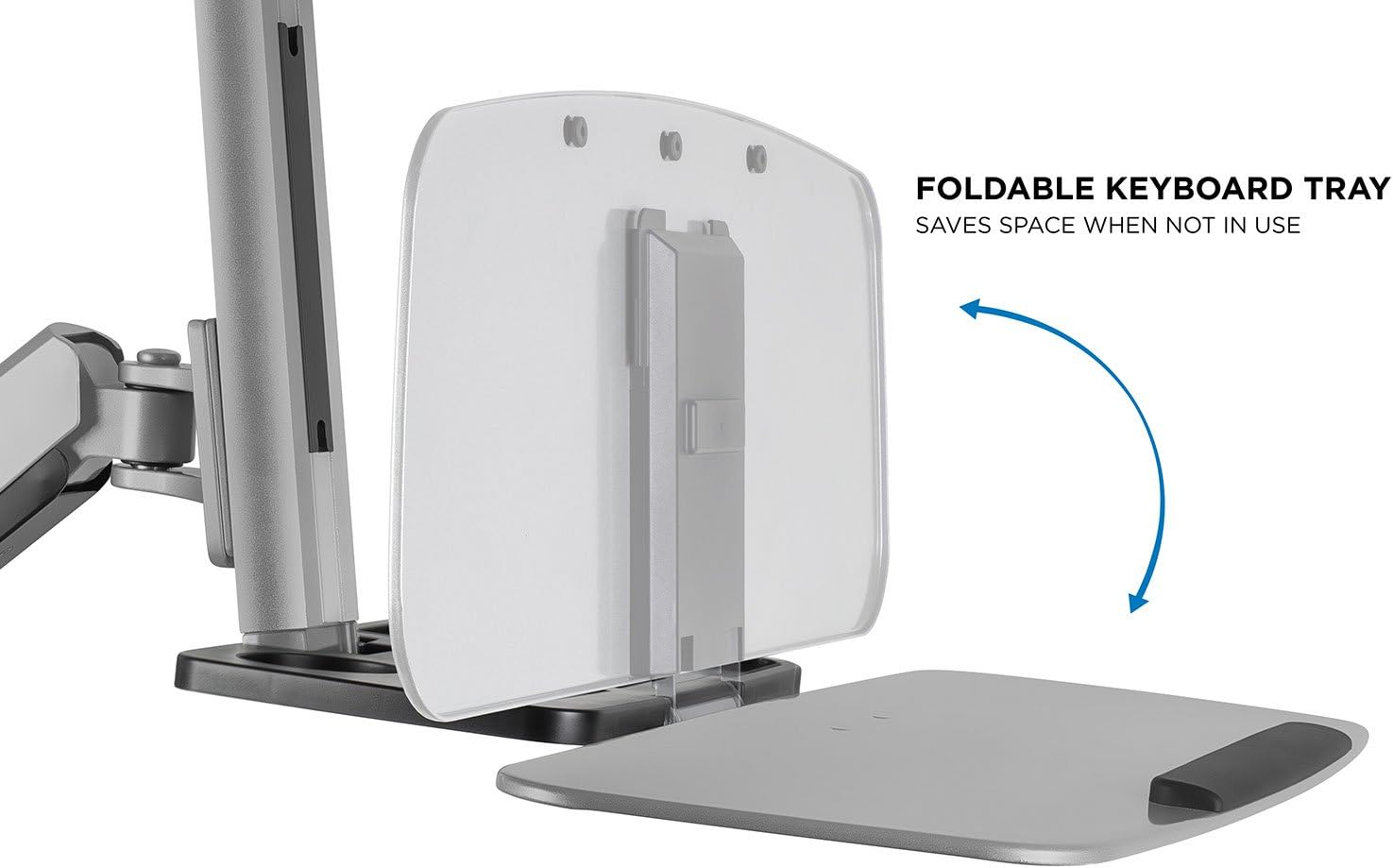
UNIVERSAL COMPATIBILITY – Monitor mount is VESA 75×75 and 100×100 compatible and fits all monitors up to 27 inches with VESA patterns. Keyboard tray 26″ wide to fit full size keyboard and mouse. Foldable keyboard tray saves space when not in use.
BONUS FEATURES – Comes with a CPU wall mount, convenient storage tray and cable management function. CPU mount helps to hold the CPU on the wall to save more space for working area.
Customers say
Customers appreciate the solid construction and easy mountability of the flat screen display mount. It supports weight without any issues, and comes with everything needed to wall mount it. Many find it a good value for money, with adjustable height that allows for sitting or standing work. However, some customers have issues with the weight, shakeiness, and size. There are mixed opinions on how easy it is to install.
AI-generated from the text of customer reviews
11 reviews for Mount-It! Sit Stand Dual Monitor Wall Mount Workstation & Stand Up Computer Station with Articulating Keyboard Tray Arm and CPU Holder
Add a review
Related Products


$199.99

Colm Walker –
Exactly what I needed. Met expecations.
The mount comes with everything you need to wall mount it. The installation is straight forward. The instructions are pictures only (no words). However, they are easy to follow. Total installation time took 30 minutes. I mounted two HP E231 (23″) monitors. They are easy to adjust and the mount arm supports the weight easily.The mount is sturdy and moving from a seated to standing to “put away” position requires a easy push/pull to the desired position. I am very happy with the mount and it exceeded my expectations (there were no available reviews when I purchased it).I am happy to answer any Amazon questions other customers have. I use it daily and I was not compensated or sponsored to write this review. I am just really happy with it and was struggling to find a solution prior to this purchase. Photos show thickness from wall when put “away”, full height (planning to use a walking treadmill), and fully lowered. Photos were just after install. I still needed to clean up the wires and decide on exactly how I want it to be once fully set up.
kellycallis –
Works well, maybe not for active 180degree use.
I use this on both side, picture sometimes standing with right shoulder against the wall and other times with the left shoulder against the wall. Swinging this all the way around like this magnifies the very small mis-mounting angle. I’m probably in the minority of use cases like this but it is something to consider if you will be using it all over the place.The whole stand is a little bit more bouncy but as long as I’m not “anger typing” it’s not normally enough to bother me. If you press hard on your keyboard, or are accustom to leaning on your desk this might not be a good choice for you.FYI got a laptop mount and have a 24in monitor and the laptop vertically mounted as a second screen, this thing supports the weight without any issues. Just be sure to tighten up the tension bolt and you should be fine.When I received this it has a wrong part, they sent me a new one without any hassles.Install is not very tough, and if I had a less unique situation it would have been even easier.
S. Vadderung –
Easier than other reviews made it seem
Great product. Does exactly what it says on the box. The instructions are all photographs without text but you really can’t do it wrong. It only goes together one way. Took about 15 minutes for my wife & I to install it. Note this is for mounting into studs or concrete. Do not attempt to mount only in drywall. Having a good stud finder will make this process very easy as two of the anchors and screws are near the edge of the stud. You really can’t mess it up, I think she & I could have done it without the pictures. If you can – kudos to you – you’re a very special nugget. Best advice: mark the edges of the stud at several different heights & make sure the edges line up. “Measure twice – drill once.”
Jack Johston –
Weak metal broke off due to the weight of the screens
The horizontal arm that holds the screens up is attached to the vertical by two tabs of metal combining to total 3/16ths of an inch. It was not strong enough to hold the weight of two screens and it broke off.I had to retrofit the structure to fit the screens as the proper mounting hardware was not provided. The seller therefore said the warranty was void.
Amazon Customer –
Good but no cigar!
GOOD: Good product and very well builtBAD: HUGE! Comes out of the wall and goes way beyond the desk and we have HUGE desks. The monitor will be centered on the extended position only bu if you want to sit down and continue working the monitor would be left or right of center and way off not just a little. Keyboard is way too high even on the lowest setting.
Kyrsten –
I am slightly disappointed. i wish that this had a wider range …
I am slightly disappointed. i wish that this had a wider range of motion up and down. luckily i am short so at 5â1â it falls just where i need it to when i sit and it maxes out exactly where i need it to when i stand up… but when i am working with clients, if i am working with ANYONE roller than me, they hve to hunch over. which is difficult and uncomfortable.i also wish that it had a locking mechanism of some sort so that when you lift it to the standing position, you could lock it into place and not have to worry about leaning on it when you need to write a note or something and causing it to fall to the sitting position.i also find it comical it has a drink holder…but itâs litedally right below the computer monitors so unless your cup is the size of a toddlers… you arenât using the cup holder for its intended purpose.overall this desk feels like it was designed with good intentions but not completely thought all the way through before put into production.
Amazon Customer –
Excellent value!
We LOVE this wall mount workstation! The height is easy to adjust so that both my husband and I can sit or stand while using it for work (we’re 6’1″ and 5’1″, respectively).
Amazon Customer –
… this directly into a stud as the parts are pretty heavy and will bear quite a bit of weight …
I mounted this directly into a stud as the parts are pretty heavy and will bear quite a bit of weight once you have both monitors mounted. I’d be nervous if it was not mounted directly into a stud. Directions are pretty good but I had to do some pre-assembly to figure out how high to mount the arm into the wall. There are only pictures on the directions. The directions show that workstation should be parallel to the ground when in use so you’ll want to mount the main arm near “working position” for your hands / wrists. This thing is bigger than I expected. At working position, it extends about 3 1/2′ out from the wall. I recommend mounting the workstation away from your door. Assembly is pretty straightforward. Once together, it seems pretty stable and works well. Despite complaining about how far out the entire system extends from the wall, I wish I could pull out the keyboard tray further away since I’m working with 24″ monitors. So far, it seems like a very good deal for the price.
Amazon Customer –
Very nice stand. Easy to install and good cable management.A little wobbly but not that bad to make me return it.For work, it’s perfect, however, if you want to play games on it you would not like it.
Pooltimes –
Great product except for the fact that it doesn’t allow you to raise the monitors to a high enough (eye site) position at least for me as I’m 6′ tall. This in my mind is big drawback and so I was hoping there would be extensions that can be purchased so I can be ergonomically sound.
Adam –
Honestly pretty impressed with the value for money. Solid construction. Needs two people to install.