
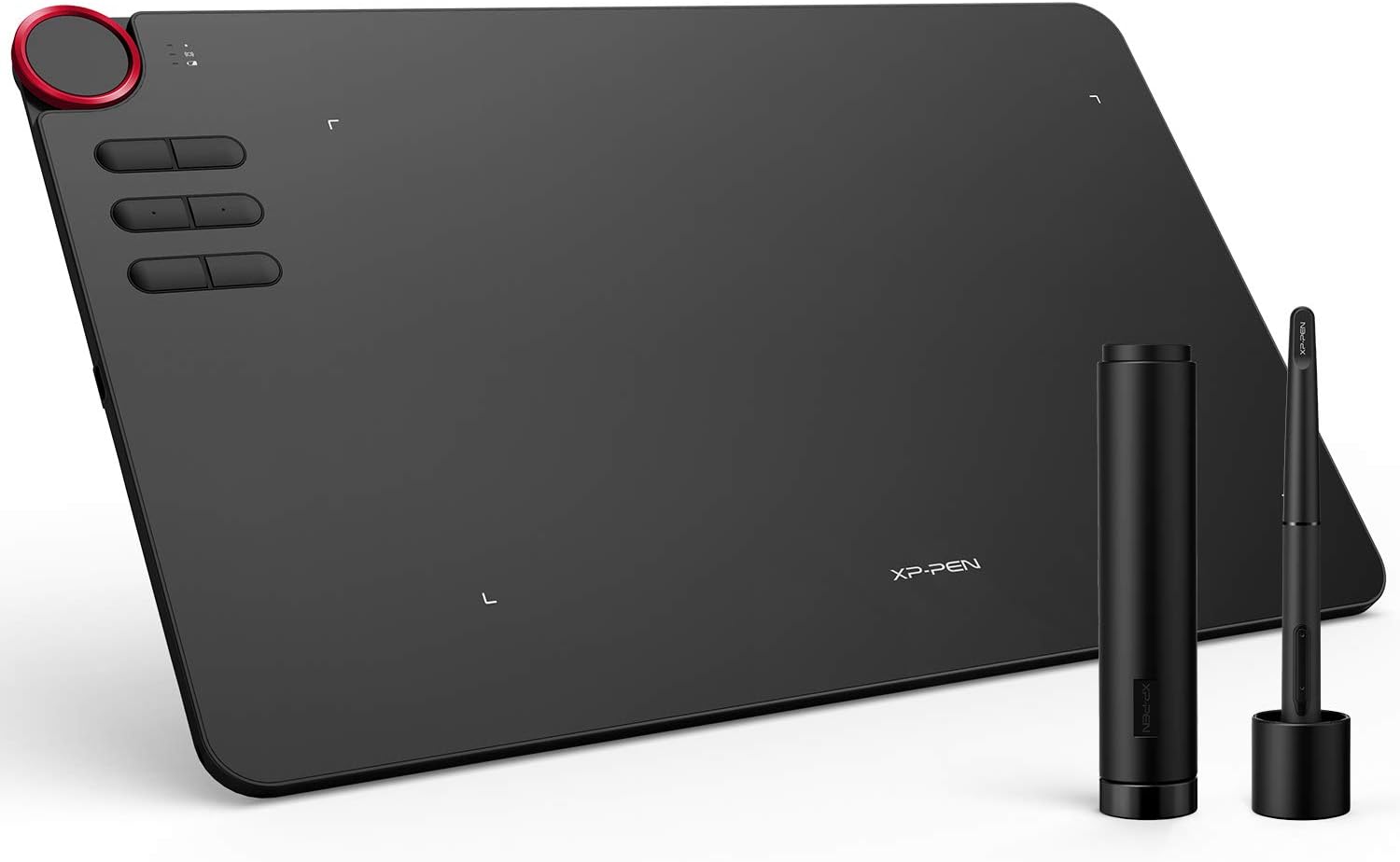
XPPen Deco 03 Wireless 2.4G Digital Graphics Drawing Tablet Drawing Pen Tablet with Battery-Free Passive Stylus and 6 Shortcut Keys (8192 Levels Pressure) 10×6 Inches
Original price was: $259.99.$99.99Current price is: $99.99.


Price: $259.99 - $99.99
(as of Dec 30, 2024 08:46:06 UTC – Details)
From the brand





1 Year Protection Plan & Lifetime XPPen Service
1 Year Protection Plan is offered for all XPPen products, please get in touch with us to see the terms and conditions for Support, Return and Refunds.
You can get in touch with us via Amazon Message if you have any question about the product.

Draw with innovative Chip
Our first smart chip X3, create artistic digitizers that give you a feeling as real and natural as working with a traditional tool.
New Release
Deco Series
Artist Pro Series
Artist Drawing Monitor
XPPen Accessories

Multi-function Red Dial Design: Utilize our multi-function dial by rotating its front and side. Easy to control with no friction. Latest Multi-function Pen Holder. It can keep your pen, pen nibs and USB receiver safe. You can use it as a pen stand and pen holder. It’s convenient for you to take everywhere
Wired and wireless USB capability: Simply plug the included USB receiver into your computer to draw wirelessly, or connect the Deco 03 to your computer with the included USB cable for standard wired use
10 x 5.62 inch Working Area: so you get more space to create or get work done. Report Rate Max: 266 RPS, to make lines flow smoother and perform better, working faster and efficiently
8192 Levels Pen Pressure Sensitivity: Providing you with groundbreaking control and fluidity to expand your creative output. No charging required
Customizable Express Keys: Features Type-C input design, easy to plug in and out. The Deco 03’s thickness is only 8mm! Designed for both right and left hand user. XPPen provides one-year warranty and lifetime technical support for all our pen tablets/displays
Customers say
Customers find the graphic tablet functional and useful for 2D/3D work, drawing, and other programs. They appreciate its quality, ease of setup, and value for money. Many find it simple to use and install on Windows 10. The wireless connectivity and comfort are also praised. However, some customers have mixed opinions about the build quality and lag.
AI-generated from the text of customer reviews
7 reviews for XPPen Deco 03 Wireless 2.4G Digital Graphics Drawing Tablet Drawing Pen Tablet with Battery-Free Passive Stylus and 6 Shortcut Keys (8192 Levels Pressure) 10×6 Inches
Add a review
Related Products


Original price was: $259.99.$99.99Current price is: $99.99.

Shadligh Dale –
Excellent drawing tablet for the price.
I bought this to replace my aging Wacom Graphire that had been collecting dust due to the really super small drawing area, and for the fact I had just got back into drawing again (with traditional media) recently and figured I’d try doing digital again by using my pencil drawings as a base.Setup was super easy however unlike some reviews you will see online it no longer comes with the 4gb USB pen drive with the drivers. No biggie as you’d just download them from website anyway, even if it did. But it DID come with a protective cover instead which was a nice bonus.The pen is excellent and feels great and glides over the surface smoothly and accurately. The wireless seems to work just fine for me unlike some reviews state. I don’t get any jitter or interference at all.Instructions are minimal and to be honest if there is any kind of con to this package it would be setting up the dial and express keys. There’s no way to set it to rotate the canvas in when rotating the dial Photoshop, and if there is, i cannot find any guides to do so. You can set it to zoom in and out, brush size, hardness, brush selection etc, but be aware it’s not a smooth increase or decrease due to the keys in Photoshop that you set to the dial increase and decease in increments of either 5 or 25% depending on the type of tool you’ve setup.Also the dial can be physically pressed and makes a click like it is a button, but there’s no setup for that in the drivers and that would be better for the dial mode change rather than using one of your express keys to do that. On the subject of express keys, if you own an Nvidia card one of the default express keys buttons is set to the GEForce experience overlay/recording setup, so change that right away.The drivers don’t seem as feature rich in Windows 10 vs the Apple OSX drivers I’ve seen online. For example there’s no test area to test your stroke pressure sensitivity within the driver, you have to use your art package. Also in regards to the driver if a new version of the driver codes out export all your settings you took the time to set up because when you update it you will lose all your custom setups for individual apps and everything is reset to defaults . These are all really minor annoyances all of which can be avoided if there was better instructions.I’m still learning to use it and get used to drawing while looking at a screen but overall I’m extremely happy with the purchase minus the few nitpicks. I would highly recommend it and it’s way cheaper than getting an equivalent Wacom with the same kind of drawing area. Zero regrets with this purchase.
Doc –
This is a Rock Solid Wacom Replacement
Backstory:I am a 15 year industry vet who has used primarily Wacom (up until this point) in the shirt design, convention, comic and game fields. I was on a trip that got extended last minute, and had to replace my road tablet (Wacom Bamboo). Got this on a whim because it was the closest approximation to the Intuos I use at home.Setup:Super easy, barely an inconvenience. Uninstalled old drivers, installed new and was off and running. Adjusting pressure on a curve was amazing, and after I had it dialed in it gave me what my brain expected out of my strokes. If I have a complaint here, it’s that I’m left handed, and setting the tablet to 180 means you are configuring express keys upside down in the software. Not a big deal really, just something I figure they can actually change in future updates.Use:Unbelievable. I thought I was getting Bamboo accuracy but with the bonus of the express keys and dial. I was blown away to see the Deco 3 was more accurate, smoother and larger than expected. Wireless is a dream and I saw no loss in accuracy (in 10-15 ft range). This literally sped up my workflow as it was more in line with what I use at my office. Pen pressure (the travel in the physical stylus tip) is jarring at first because I had to calibrate myself to the fact that this translates pressure so smoothly, which was another great surprise.Last thoughts:My current employer almost didn’t let me expense this because they were concerned the quality wouldn’t be up to snuff (in other words, this was cheap and they were worried). I said if it got here and was crap, I’d return it. Seeing as it already has the ring, I’m getting ready to marry this thing. I am so blown away by this that I already added the Deco Pro to my wishlist for the extra buttons, virtual track pad and because XP Pen has unified drivers across the Deco line (and I have to have backups for work). If that is on par with this, at these prices, I will be retiring my Wacom stuff in a dumpster fire (or giving them to a friend because of the obnoxious amount of money I spent on them). Creating art at any level should never be walled behind prohibitive prices, and for that reason I’ll gladly throw mine at XP Pen to help spread the word. Also the stylus/nib/receiver case is pretty sweet for taking it on the road.
Edu Figueiredo –
Se está procurando sensibilidade e estabilidade, ela tem! Se procura à rea grande de trabalho, ela também tem!Super fina, não ocupa espaço e a bateria dura muito, a ponto de esquecer de recarregar.Funciona perfeitamente no pc, celular e tablet, no mac é meio chato de configurar, mas é um problema apple e não XP.Vale muito o investmento!
Nice Quality let’s see how long it will last.but I like the product –
Nice Quality I like the product but let’s see how long it will last
Rogelio –
una gran opción de desde artistas básicos a intermedios e incluso avanzados, con una igual de buena relación calidad precio, posee un buena zona de dibujo y en cuanto a los botones y el dial son ideales para olvidarte de usar el teclado al momento te trabajar y no estar saltando de uno al otro, lo he probado en affinity photo, affinity design, adobe photoshop y adobe illustrator y otros como krita y en ninguno he tenido problema, los programas lo reconocen de inmediato tan solo en cada programa solo debes activar la sensibilidad a la presión, ademas puedes programar los botones en general o por perfil para que funcionen diferente en cada aplicación, lo mejor para mi es el dial ya que es muy cómodo acercarte, alejarte o rotar del lienzo e incluso cambiar el tamaño de tus pinceles, y en cuanto al modo wireless es muy bueno lo he probado a distancias desde 2.5m sin ninguna perdida responsiva, ademas esto se mejora con la duración de la baterÃa ya que apagándolo al tiempo de no usarla esta dura muchÃsimo (en mi caso 5 dÃas)dependiendo el uso que le des, si lo olvidas apagar entra en modo reposo y este me a durado de 2 a 3 dÃas para reactivarla solo debes presionar uno de los botones de la tableta.
Amazon Customer –
First impressions on the tablet are excellent. The overall size and drawing size ration are great, the buttons are very accessible and responsive, the dial addition is amazing to the point I’m not sure if I will be able to adapt to another tablet without it. The pen (and tablet itself) is a bit on the lighter side but works great too.Only two minor inconveniences are the lack of eraser on the pen and that it requires to be a bit closer to the surface than others in order to work. Both are quite easy to adapt (and you can customize the tablet to compensate for this) so they wont disturb your work flow in any way.This is my first XP Pen product and my second “alternative brand” tablet, however, after today, I think I will drop the term “alternative” and even dare to say that this is the first brand I will recommend to fellow artists and friends if when are looking for a new drawing tablet.
Mr K –
Update June 2024. I have been using it for the last few months and it is excellent. Based on all my research XP-Pen products are good value.Purchased March 2023 and it has worked great, however I have not used it as much as I originally intended.